
AI Image Upscaler
Ready for Generating
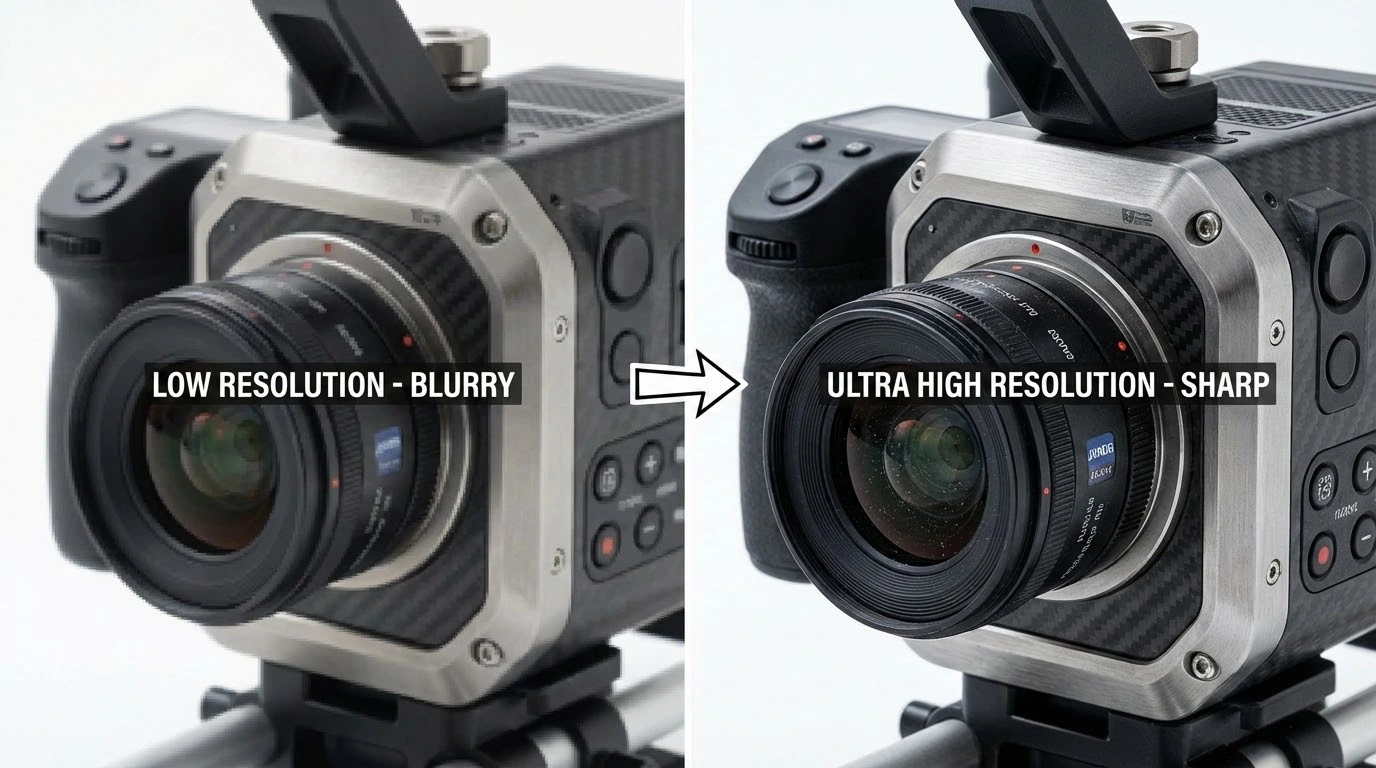
How AI Image Upscaling Works
Our AI Image Upscaler analyzes your photo, intelligently enlarges resolution, and reconstructs details to produce a high-quality upscaled result.
Intelligent Resolution Analysis
The AI Image Upscaler examines your photo to understand its content, structure, and details. It identifies edges, textures, and patterns that need to be preserved and enhanced during the upscaling process.
Smart Detail Reconstruction
Once analysis is complete, the AI Image Upscaler enlarges your photo using deep learning algorithms. It reconstructs fine details, sharpens edges, and generates realistic textures that maintain the natural look of the original image.
Quality Preservation and Enhancement
The AI Image Upscaler ensures the upscaled photo maintains natural appearance while improving overall quality. It reduces artifacts, optimizes sharpness, and enhances clarity to deliver professional results.
Why Choose Our AI Image Upscaler
The AI Image Upscaler delivers professional upscaling results with advanced AI technology. Here's what makes it the best choice for enlarging photos.
Up to 4x Resolution Increase
The AI Image Upscaler can enlarge your photos up to 4 times their original resolution. Transform a 1000x1000 image into 4000x4000 while maintaining quality and detail. Perfect for printing, professional use, or high-resolution displays.
No Quality Loss
Unlike traditional upscaling methods that create blurry or pixelated results, our AI Image Upscaler uses deep learning to intelligently reconstruct details. The upscaled image looks sharp and natural, not stretched or distorted.
Fast Processing Speed
The AI Image Upscaler processes your photos in seconds, not minutes. Upload an image and receive your upscaled result almost instantly. No waiting, no complicated settings—just fast, professional results.
Works with Any Photo Type
The AI Image Upscaler handles all types of images including portraits, landscapes, products, artwork, and screenshots. It adapts its upscaling approach based on image content for optimal results every time.
Batch Processing Available
Need to upscale multiple images? The AI Image Upscaler supports batch processing so you can enlarge dozens of photos at once. Save time and maintain consistent quality across all your images.
Free to Start
Try the AI Image Upscaler free with no signup required. Test the quality and see the results before committing. Upgrade to a paid plan only when you need more upscaling capacity.
How to Use the AI Image Upscaler
Upscale your images in three simple steps. No technical knowledge required.
Upload Your Image
Click the upload button or drag and drop your low-resolution photo. The AI Image Upscaler accepts JPG, PNG, and WebP formats up to 10MB.
Choose Upscale Factor
Select how much you want to enlarge your image—2x, 3x, or 4x. The AI Image Upscaler will process your photo and reconstruct details at the higher resolution.
Download Upscaled Image
Preview the upscaled result and download it in your preferred format. The AI Image Upscaler delivers a high-resolution image ready for any use.
What Users Say About Our AI Image Upscaler
Thousands of users trust our AI Image Upscaler for professional upscaling results.
This AI Image Upscaler is incredible. I can now enlarge client photos for large prints without any quality loss. The detail reconstruction is amazing—much better than Photoshop's upscaling.
Sarah Chen, Photographer
Sarah Chen
Photographer
I use the AI Image Upscaler daily for client projects. When clients provide low-res logos or images, I can upscale them to usable sizes. It's saved me countless hours and awkward conversations.
Michael Rodriguez, Graphic Designer
Michael Rodriguez
Graphic Designer
Our product photos looked terrible on high-res displays until we found this AI Image Upscaler. Now all our images are crisp and professional. Sales have improved because products look better.
Emily Watson, E-commerce Manager
Emily Watson
E-commerce Manager
I use the AI Image Upscaler to enhance my social media posts. The upscaled images look better on high-res displays, and I can share them with clients without any quality loss. It's a must-have tool for any content creator.
Jessica Taylor, Content Creator
Jessica Taylor
Content Creator
I use the AI Image Upscaler to create high-quality product images for my e-commerce store. The upscaled images look better on high-res displays, and I can share them with clients without any quality loss. It's a must-have tool for any marketing specialist.
David Thompson, Marketing Specialist
David Thompson
Marketing Specialist
I use the AI Image Upscaler to create high-quality product images for my e-commerce store. The upscaled images look better on high-res displays, and I can share them with clients without any quality loss. It's a must-have tool for any marketing specialist.
Jennifer Lee, Social Media Manager
Jennifer Lee
Social Media Manager
Frequently Asked Questions
Common questions about the AI Image Upscaler.
Try the AI Image Upscaler — Free to Start
Upload a photo and the AI Image Upscaler delivers high-resolution results in seconds. No signup needed for your first upscale.