
AI Image Enhancer
Ready for Generating
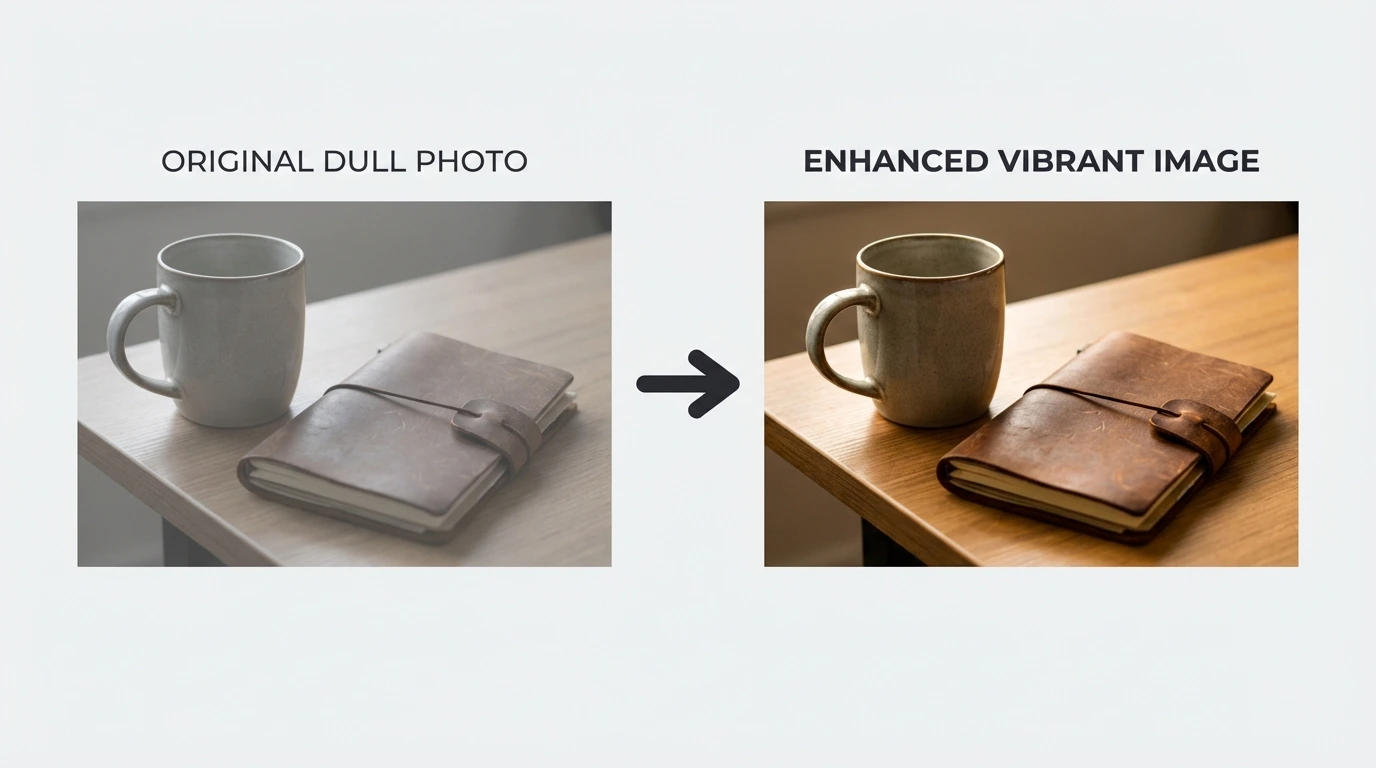
How AI Image Enhancement Works
Our AI Image Enhancer analyzes your photo, upscales resolution, reduces noise, and enhances details to produce a high-quality result.
Intelligent Quality Analysis
The AI Image Enhancer examines your photo to identify areas needing improvement including blur, low resolution, noise, and compression artifacts. It understands image content and applies targeted enhancements while preserving natural appearance.
Resolution Upscaling and Detail Recovery
Once analysis is complete, the AI Image Enhancer upscales your photo to higher resolution using deep learning. It recovers fine details, sharpens edges, and reconstructs textures that were lost in the original low-quality image.
Noise Reduction and Color Correction
The AI Image Enhancer removes digital noise, grain, and compression artifacts while preserving important details. It also optimizes color balance, contrast, and brightness to make your enhanced photo look natural and vibrant.
Why Use Our AI Image Enhancer
A purpose-built AI Image Enhancer that improves photo quality accurately without over-processing or creating artifacts.
Multiple Enhancement Types
The AI Image Enhancer handles resolution upscaling (2x, 4x), sharpness improvement, noise reduction, color enhancement, and detail recovery. It adapts to different image types and quality issues automatically.
Preserves Natural Look
Unlike simple filters that over-sharpen or create artificial results, our AI Image Enhancer maintains the natural appearance of your photos. Enhancements are subtle and realistic, not overdone.
Works on All Photo Types
The AI Image Enhancer handles portraits, landscapes, product photos, old scanned images, screenshots, and more. It recognizes different content types and applies appropriate enhancements for each.
Fast Processing Speed
Most image enhancements complete in under 15 seconds. The AI Image Enhancer processes photos on dedicated GPU servers, delivering high-quality results quickly even with large upscaling factors.
Privacy Protected
Your uploaded images are encrypted during transfer and automatically deleted after processing. We never store, share, or use your photos for training purposes.
Free to Start
Try the AI Image Enhancer with no account required. Free users get daily credits to process images. Upgrade for higher limits, larger upscaling factors, and priority processing.
Enhance Images in 3 Steps with AI Image Enhancer
Improve your photo quality with a straightforward process.
Upload Your Image
Drag and drop or click to upload the image you want to enhance. Supports JPG, PNG, and WEBP formats up to 10MB.
AI Enhances Automatically
The AI analyzes your photo, upscales resolution, reduces noise, sharpens details, and optimizes colors automatically. No manual adjustments needed.
Download Enhanced Image
Preview the enhanced result and download your improved photo in higher resolution. The output maintains natural appearance with better clarity and detail.
What Users Say About the AI Image Enhancer
Real feedback from people who use our AI Image Enhancer tool.
I use this to enhance property photos taken with phone cameras. The AI upscales them beautifully and the details come through sharp. Makes my listings look more professional.
Rachel S., Real Estate Agent
Rachel S.
Real Estate Agent
I had hundreds of old blog images at low resolution. This tool enhanced all of them and they look fantastic now. The 4x upscaling maintains quality without artifacts.
Michael T., Content Creator
Michael T.
Content Creator
Sometimes I need to salvage underexposed or noisy shots. This AI does an excellent job of recovering detail and reducing noise while keeping the image natural. Very impressed.
Jennifer K., Photographer
Jennifer K.
Photographer
I received client photos that were too small for print. The AI upscaled them to usable resolution and the sharpness improvement is remarkable. Saved the project.
Daniel P., Graphic Designer
Daniel P.
Graphic Designer
We enhance profile pictures and cover images with this tool. The results are consistently good and the colors look vibrant. It's become part of our content workflow.
Lisa M., Social Media Manager
Lisa M.
Social Media Manager
Product images from some suppliers were low quality. This enhancer improved them significantly without making them look artificial. The clarity boost helps with conversions.
Chris W., E-commerce Manager
Chris W.
E-commerce Manager
Frequently Asked Questions
Common questions about the AI Image Enhancer tool.
Try the AI Image Enhancer — Free to Start
Upload a photo and the AI Image Enhancer delivers enhanced quality in seconds. No signup needed for your first enhancement.